
Welcome to Sweet Vits: User Guide
Sweet Vits is a unique messaging app designed to let you send and receive thoughtful «Vits» (digital vitamins for the soul). Whether it’s a quick morning greeting or a deep message of love, Sweet Vits keeps your most precious connections in one place.
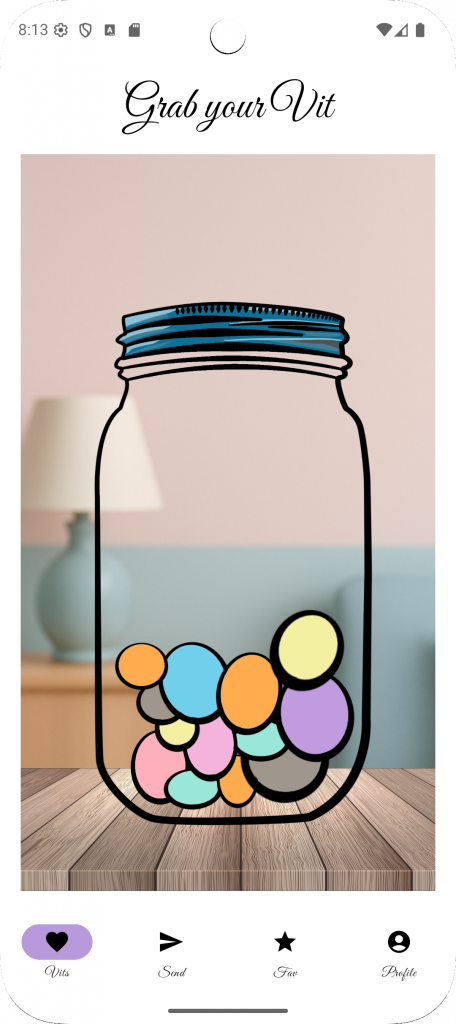
1. Your Vit Jar
Every time a friend or loved one sends you a message, it appears as a colorful «Vit» inside your digital jar.
- Viewing your Vits: Tap on any of the colorful circles inside the jar to «grab» a message.
- Navigation: Use the bottom menu to switch between your Jar (Vits), sending new messages (Send), viewing saved notes (Fav), and your account settings (Profile).
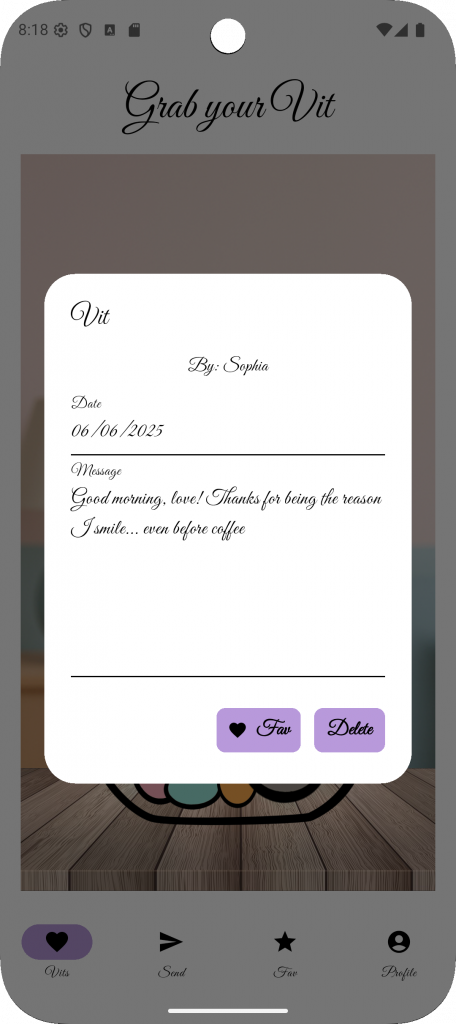
2. Reading a Vit
When you tap on a Vit in the jar, a pop-up card will appear with the message details:
- From & Date: See exactly who sent the message and when it was written.
- The Message: Read the personalized note left for you.
- Saving Favorites: If a message is special, tap the ❤ Fav button. This saves the Vit to your «Favorite Vits» list so you can read it again later.
- Discarding: If you want to clear the Vit from your jar, simply tap Delete.
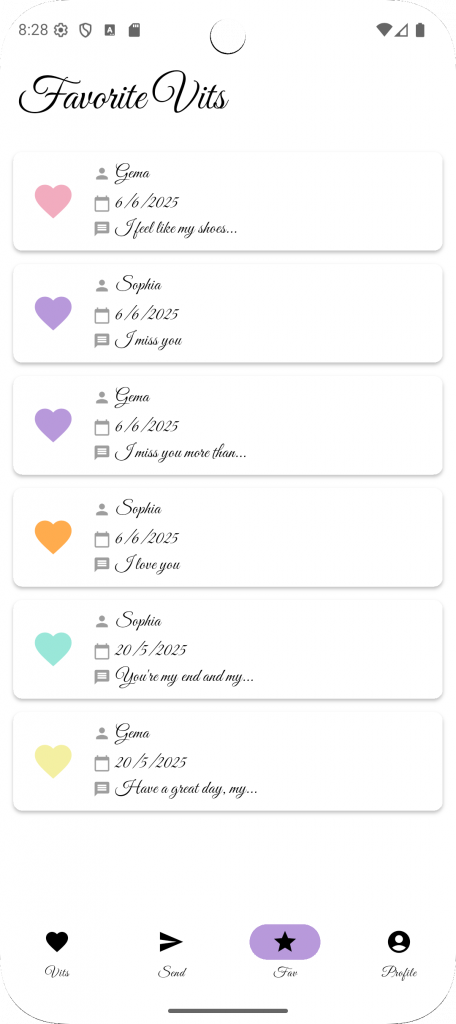
3. Favorite Vits
Your most cherished messages are stored here, organized by date and person.
- Quick View: Each favorite entry shows the sender’s name, the date, and a preview of the message.
- Color Coding: Notice the heart colors! These match the color of the Vit originally found in your jar, making your favorites list vibrant and easy to scan.
- Relive the Moment: Tap on any entry to re-read the full message whenever you need a little boost of happiness.
Sending Your First Vit
Ready to brighten someone’s day?
Type your message and hit send! Your note will instantly appear in their jar as a new, colorful Vit.
Go to the Send tab.
Select a contact.